Audit
The Audit View enables the construction of node-based graphs that show a dynamic visual flow diagram between objects in the ECU (channels, tables, maps etc).
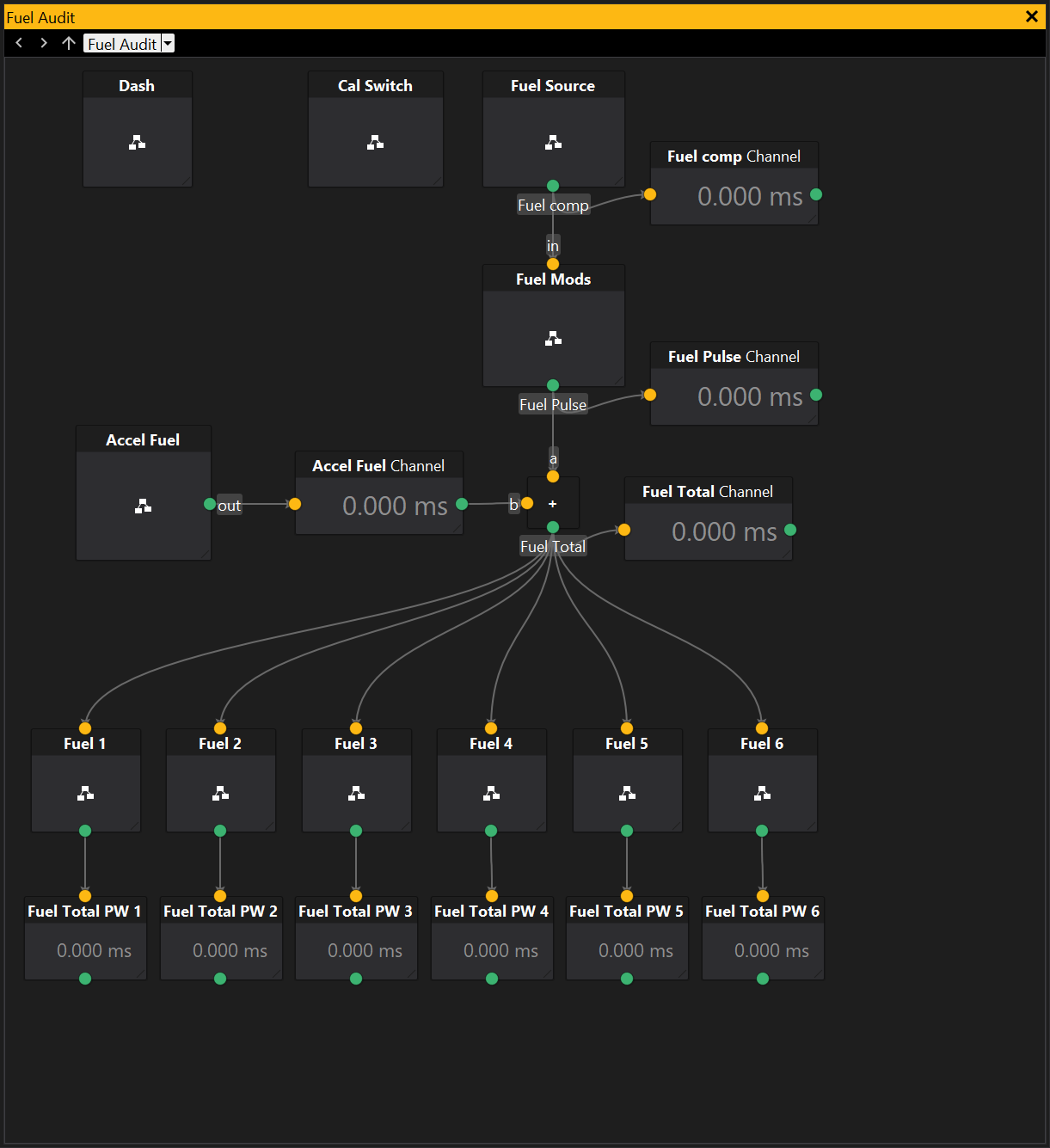
Audits graphs consist of nodes (the large square boxes in the diagram above). Each node has junctions which are the small circular attachments on the edges of the nodes. Junctions may be connected to other junctions by edges to indicate data flow.
There are multiple types of nodes.
- Object Node - Displays an ECU based object (e.g. channel, option, table etc).
- Submodule Node - Contains a diagram of its own (another node graph). Double clicking on a submodule will display its contents when the layout is locked.
- Jump Module Node - Jumps to a submodule - this is like a shortcut to a submodule that exists somewhere else in the node graph hierarchy.
- Notes Node - Displays notes to describe the graph in more detail.
At the top of the audit view is the module bar. This has navigation buttons to the left that enable traversing through the history of nodes that have been viewed during the current session. To the right of the navigation buttons, the current node is displayed and its parent graphs. Clicking on one of these will jump to that view. There is additionally a drop down menu for jumping to other locations in the graph tree.
View Properties
Properties editable via the properties editor.
| Property | Script ID | Description |
|---|---|---|
| Title | title |
The title of the window. |
| Script ID | id |
The scripting ID of the window. Can be used as an alternative to the title for searching for windows from scripts. |
| Tool Tip | tooltip |
Window tool tip. |
| Locked Layout | locked |
Locks the layout from being modified with the mouse. |
| Snap To Grid | snap_to_grid |
Snap positions to grid. |
| Snap To Objects | snap_to_objects |
Snap egdes to objects. |