Tachometer
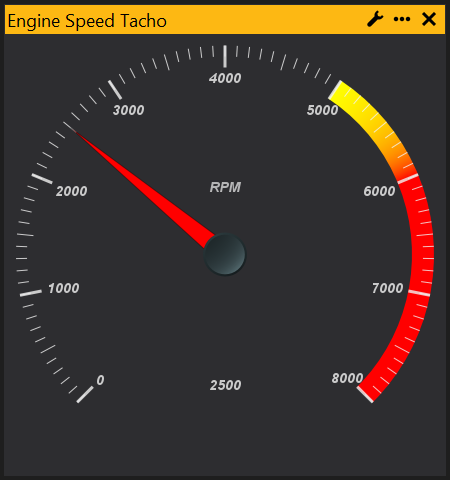
The Tacho Gauge provides a Tacho (dial) representation of a channel. For how to add objects see the Adding an Object section.
Configuration
The Tacho is easiest to configure via its configuration dialog (but it is also configurable via the Properties Window).
Right click the gauge and select ‘Configure Gauge…’ or click on the small spanner icon in the title bar of the Tacho window:
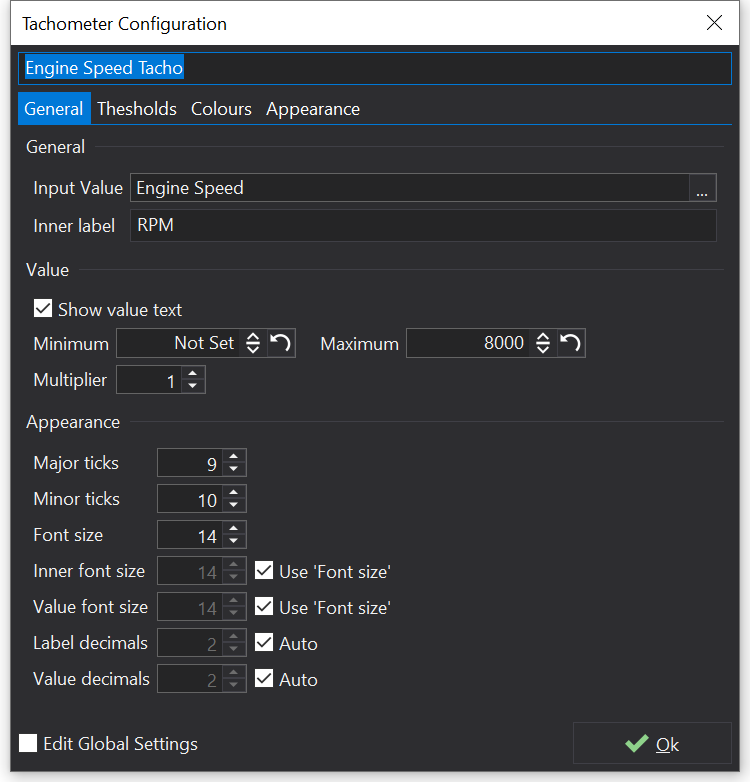
Global settings may be modified by checking the ‘Edit Global Settings’ checkbox, and will be stored as part of the tabs layout. These settings are not saved when you save single tabs only (i.e. Use ‘Save Current Tab Only’ in the save tab dialog).
Changing the channel
Right click on the Tacho and select properties. This will display the properties for the Tacho. Next to the ‘Channel’ property click the ‘…’ button and you will be given a list of all the available channels.
Setting the range
Bring up the properties for the Tacho. Set the properties ‘Minimum’ and ‘Maximum’ to your desired values for the Tacho range.
Setting a multiplier
If for example you want to display engine speed as 1,2,3 etc instead of 1000,2000,3000 etc, you can do this by setting a multiplier. Bring up the properties for the Tacho and set the ‘Multiplier value’. For this example, it should be set to 0.001.
Adding a red-line area
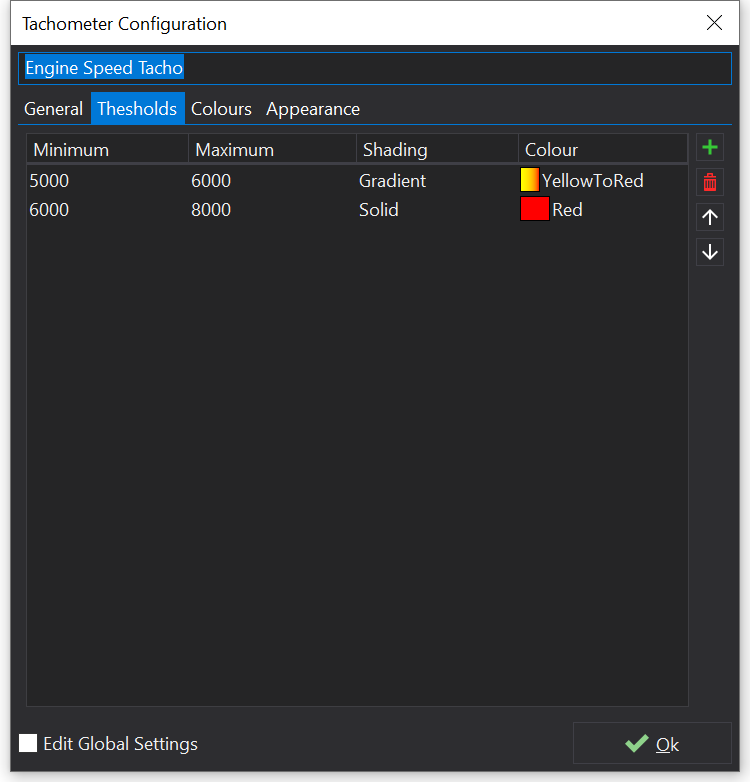
Using the ‘Thresholds’ section of the configuration dialog, add items using the  button.
Each item’s range can be set and a colour/gradient supplied.
View Properties
Properties editable via the properties editor.
| Property | Script ID | Description |
|---|---|---|
| Title | title |
The title of the window. |
| Script ID | id |
The scripting ID of the window. Can be used as an alternative to the title for searching for windows from scripts. |
| Tool Tip | tooltip |
Window tool tip. |
| Input Value | parameter |
The input value that will be displayed by the tacho. |
| Update Rate | update_rate |
Rate at which the input value is requested from the ECU. |
| Show Value | show_value |
Shows the value as text on the gauge. |
| Minimum | minimum |
Minimum value. |
| Maximum | maximum |
Maximum value. |
| Multiplier | multiplier |
Values are multipled by the given value before display. RPM would typically be multiplied by 0.001 for a x1000 tacho. |
| Threshold Markers | threshold_markers |
Colored threshold ranges around the dial. |
| Major Ticks | major_ticks |
Maximum number of major ticks. |
| Minor Ticks | minor_ticks |
Number of minor ticks per major tick. |
| Tick Font Size | font_size |
Size of the font used to draw the major tick values. |
| Label Font Size | inner_font_size |
Size of the font used to draw the inner label. |
| Value Font Size | value_font_size |
Size of the font used to draw the current value. |
| Tick Decimal Places | tick_decimal_places |
Decimal places of tick values. |
| Value Decimal Places | value_decimal_places |
Decimal places of the current value display. |
| Inner Label | inner_label |
Label in the center of the tacho. Leave blank for default display. |
| Center View X | center_x_view |
Center the gauge in the X axis of the view. |
| Center View Y | center_y_view |
Center the gauge in the Y axis of the view. |
| Center X | center_x |
X Position of tacho center in relative coordinates. |
| Center Y | center_y |
Y Position of tacho center in relative coordinates. |
| Scale X | scale_x |
X Scaling Factor. |
| Scale Y | scale_y |
Y Scaling Factor. |
| Label X | label_x |
X Position of label in relative coordinates. |
| Label Y | label_y |
Y Position of label in relative coordinates. |
| Value X | value_x |
X Position of value text in relative coordinates. |
| Value Y | value_y |
Y Position of value text in relative coordinates. |
| Armature Length | arm_length |
Length of the armature in relative coordinates. |
| Start Angle | start_angle |
Starting angle of the gauge, in radians. |
| End Angle | end_angle |
Ending angle of the gauge, in radians. |
| Outer Tick Radius | tick_radius |
Outer radius of all tick lines, in relative coordinates. |
| Minor Tick Radius | tick_radius_minor |
Inner radius of minor tick lines, in relative coordinates. |
| Major Tick Radius | tick_radius_major |
Inner radius of major tick lines, in relative coordinates. |
| Outer Bezel Width | bezel_width_outer |
Outer radius of the tacho bezel, in relative coordinates. |
| Inner Bezel Width | bezel_width_inner |
Inner radius of the tacho bezel, in relative coordinates. |
| Background Colour | background_colour |
Background Colour |
| Tick Colour | tick_colour |
Tick Colour |
| Tick Opacity | tick_opacity |
|
| Armature Colour | armature_colour |
Armature Colour |
| Armature Opacity | armature_opacity |
|
| Armature Glow | armature_glow_colour |
Armature Glow |
| Armature Glow Opacity | armature_glow_opacity |
|
| Label Colour | label_colour |
Label Colour |
| Label Opacity | label_opacity |
|
| Inner Label Colour | inner_label_colour |
Inner Label Colour |
| Inner Label Opacity | inner_label_opacity |
|
| Value Colour | value_colour |
Value Colour |
| Value Opacity | value_opacity |
|
| Gloss Colour | gloss_colour |
Gloss Colour |
| Gloss Opacity | gloss_opacity |
|
| Face Gradient | face_gradient |
|
| Arm Base Gradient | arm_base_gradient |
|
| Arm Base Bevel Gradient | arm_base_bevel_gradient |
|
| Bezel Gradient | bezel_gradient |
|
| Inner Bezel Gradient | bezel_inner_gradient |