Image Selectors Tab
Overview
The Image Selectors Tab provides configuration of images that can change in response to an input value channel.
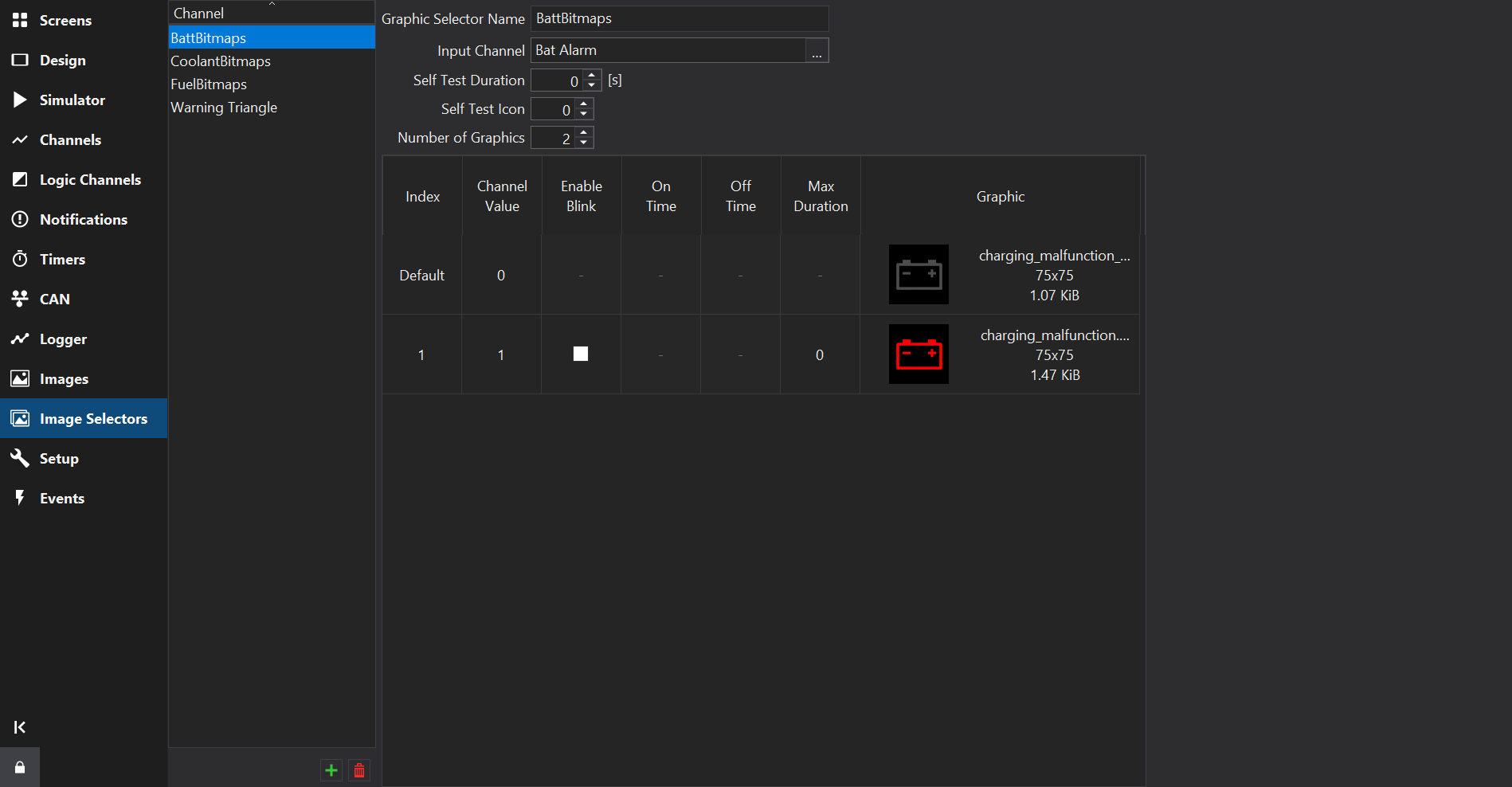
Input Channel
The Input Channel is used to select images from the table; its value is looked up against the Channel Value column in the table.
Self Test Duration
When the display starts, the Self Test Icon will be displayed for the specified duration, in seconds, unless set to zero.
Self Test Icon
The index of the image to display for the startup self test duration.
Number of Graphics
The Number of Graphics selection count is the number of images used in the image selector and is at least two. The first image is shown by default. Subsequent images are shown according to the settings in the table.
Inserting and Deleting Rows
Use the Insert button to insert a graphic after the selected row, and the Delete button to delete the selected row(s). The Number of Graphics is updated accordingly.
Table Columns
Index
The number of the selection bitmap for which the following settings are made. For example, if the selection count is set to 3, 1 will specify the first selectable bitmap and 2 will specify the second selectable bitmap. If the value of the Input Channel does not exactly match one of the Channel Values, the default image is used.
Channel Value
When the Input Channel is equal to this value, this image is shown instead of the default image.
Enable Blink
If checked, this image will blink according to the On Time and Off Time in seconds. The image swaps between the indexed image and the default image (or the Alt Graphic, if set).
On Time / Off Time
The time (in seconds) that this image is on / off when blinking.
Max Duration
If Max Duration is non-zero, the image is only shown for this duration no matter how long the input is equal to the value. A value of 0 disables Max Duration.
Graphic
The image to be shown when this index is active.
Alt Graphic
For supported display types, the alternative image to be shown when this index is active and blinking, instead of the default image.