Logic Channels Tab
Overview
The Logic Channels Tab provides configuration of logic (conditional) channels in the display.
The output from a Logic Channel is either zero or one.
Logic Channels may be used to implement alarms. An output of one indicates that the alarm has been triggered (the condition is true), zero indicates no alarm has been triggered (the condition is false).
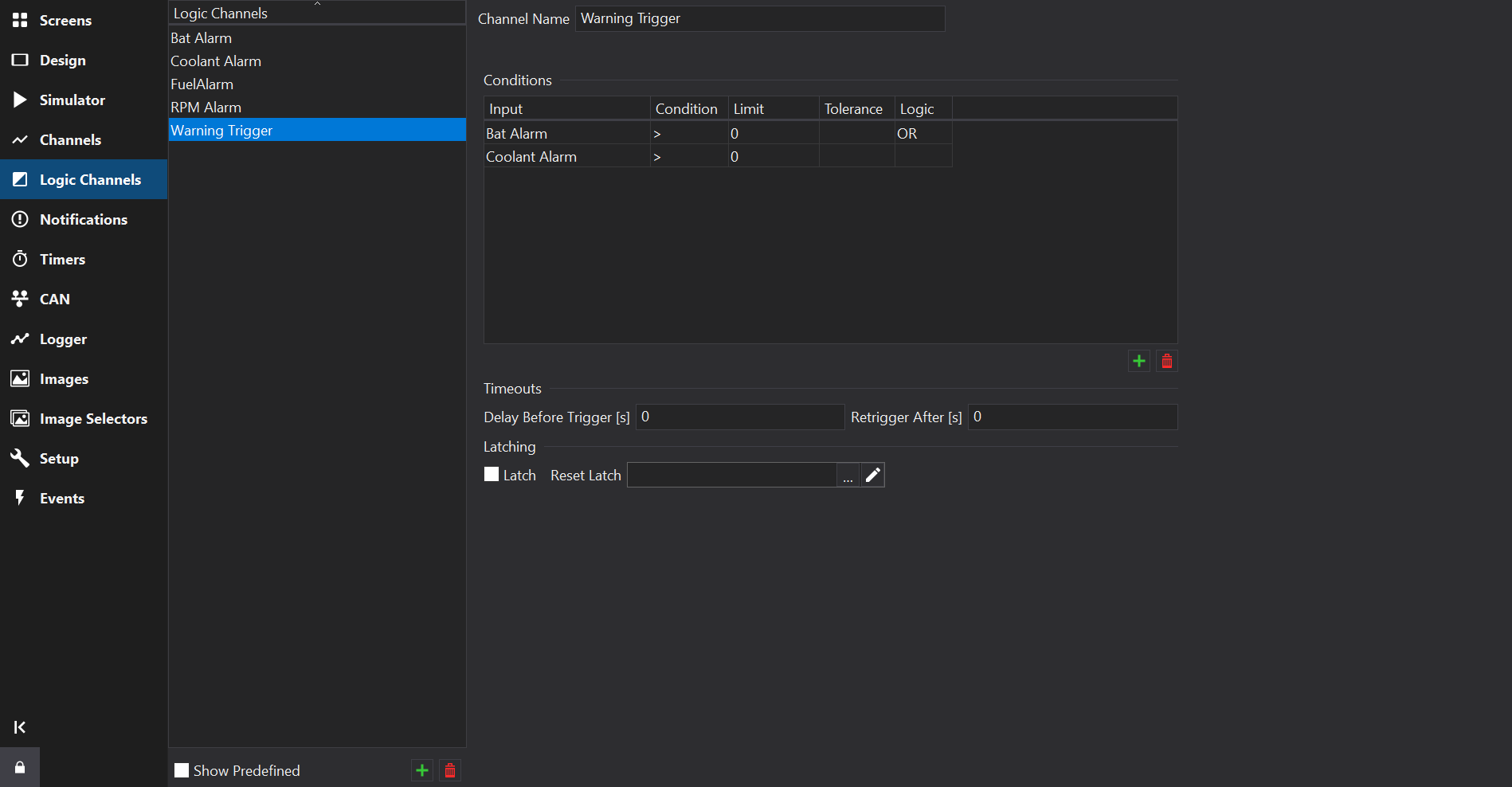
Conditions
Each row of the grid defines a logical operation that will return true (1) or false (0). When evaluating the alarm output, the display combines the result of the current line and carries it forward to the next line. Lines can be added or removed with the Add or Delete buttons.
In the above example, the logic channel will output 1 if “Bat Alarm > 0” OR ‘Coolant Alarm > 0’.
The channel can be renamed using the Channel Name box.
Delay Before Trigger
The Delay Before Trigger value adds a delay after display power on before the alarm is processed. This is useful when using logic channels for triggering page changes as it can be used to prevent erroneous page triggers when ECUs broadcast default values whilst initialising.
Retrigger After
The Retrigger After value specifies a timeout in seconds after which the alarm (if still triggered) will toggle to un-triggered and back to triggered. This is useful for when an logic channel has been used to trigger a page change, usually showing a warning to the driver, for example, low oil pressure. The driver can select the standard page again to cancel the alarm. If the oil pressure is still low after the specified period, then the warning page will be shown again.
If the Retrigger value is set to zero, then the alarm will only retrigger if the input conditions change to false and back to true again.
Latch
For supported displays, the Latch option can be used to latch the alarm output to 1 until the latch is reset.
Latch Timeout
For supported displays, the Latch Timeout value specifies a timeout in seconds after which the latch state will reset. This is useful for when an logic channel needs to pulse its value for a perid of time.
If the latch timeout value is set to zero, then the latch will only reset if a latch reset channel is asserted.
Latch Reset
For supported displays, the Latch Reset option can be used to select a channel that will reset the latch state when non-zero.
The latch reset channel will preempt the latch timeout value if both are configured. The latch reset channel can be a logic channel or a standard input channel.
If preemption is not desired, the logic channel with the reset input could be routed through another logic channel that has a latch + timeout.