CAN Request
Overview
The CAN Request Tab provides a way to send out fixed CAN messages at regular intervals or in response to another CAN message.
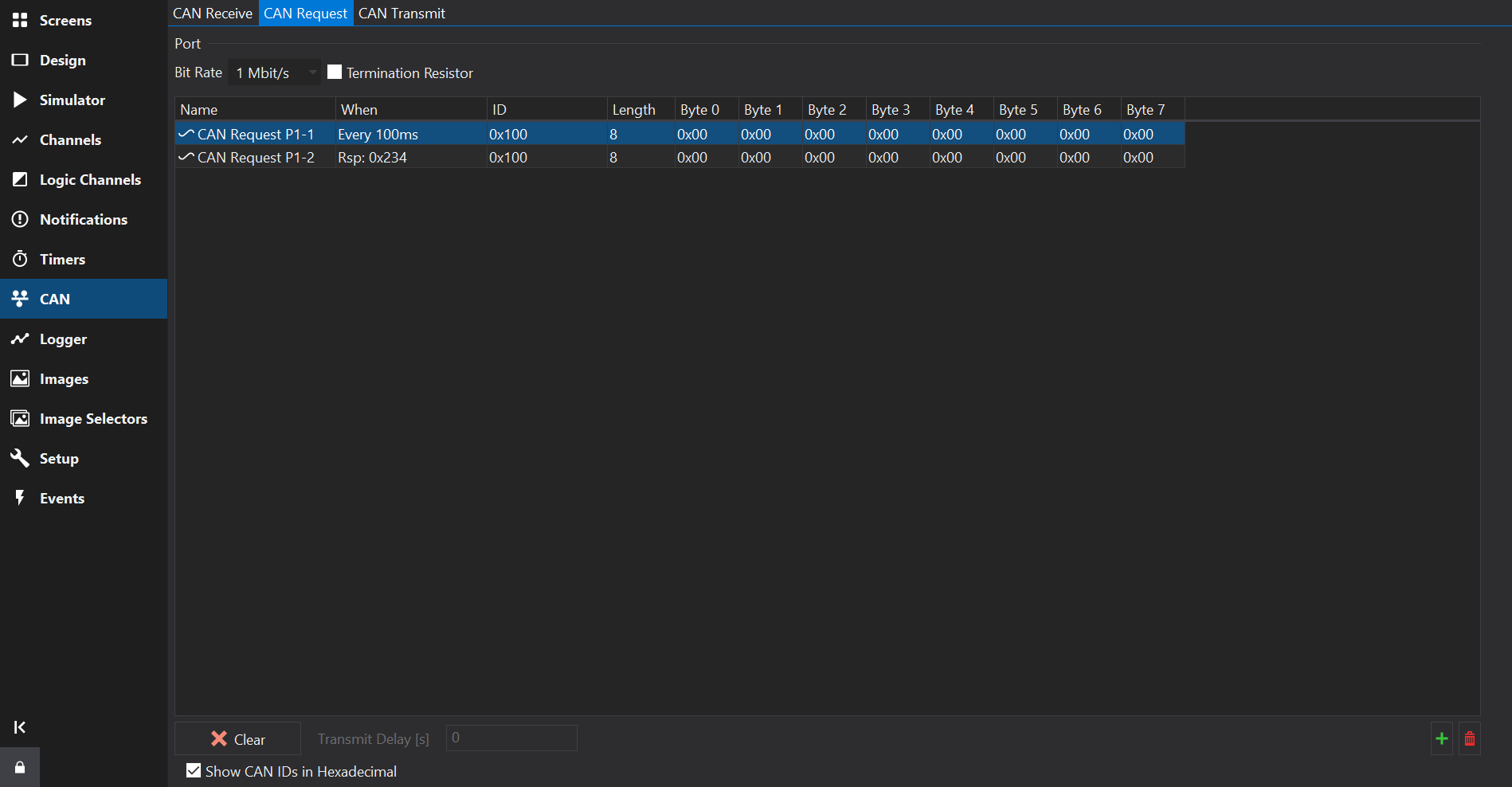
Adding or Removing Messages
Towards the bottom right of the Messages Table, use the  button to add a new message, and the
 button to remove the selected messages(s).
Use the Clear Port button to remove all CAN Request messages from the selected CAN port.
Transmit Delay
Transmit Delay [s] sets the time between the display starting up and Startup Only messages being transmitted.
Messages Table
If the Show CAN IDs in Hexadecimal box is checked, the IDs are shown and entered as hexadecimal numbers with an 0x prefix. Otherwise, they are shown and edited as decimal numbers.
| Column | Description |
|---|---|
| Name | Name used to identify this message. |
| When | When the message is sent: Startup Only sends the message once after the display starts (after the Transmit Delay); Every nms sends the message periodically; Respond To… sends the message once each time a message with the specified CAN ID is received (shown as Rsp: ID). |
| ID | The CAN ID (arbitration ID) of the message. |
| Length | The Data Length Code (DLC): the number of bytes in the message, typically 8. |
| Byte 0 … Byte 7 | The fixed data bytes of the message, entered as hexadecimal values between 0x00 and 0xFF. |