Notifications Tab
Overview
The Notifications Tab provides configuration of text-based notifications in response to conditions such as alarms.
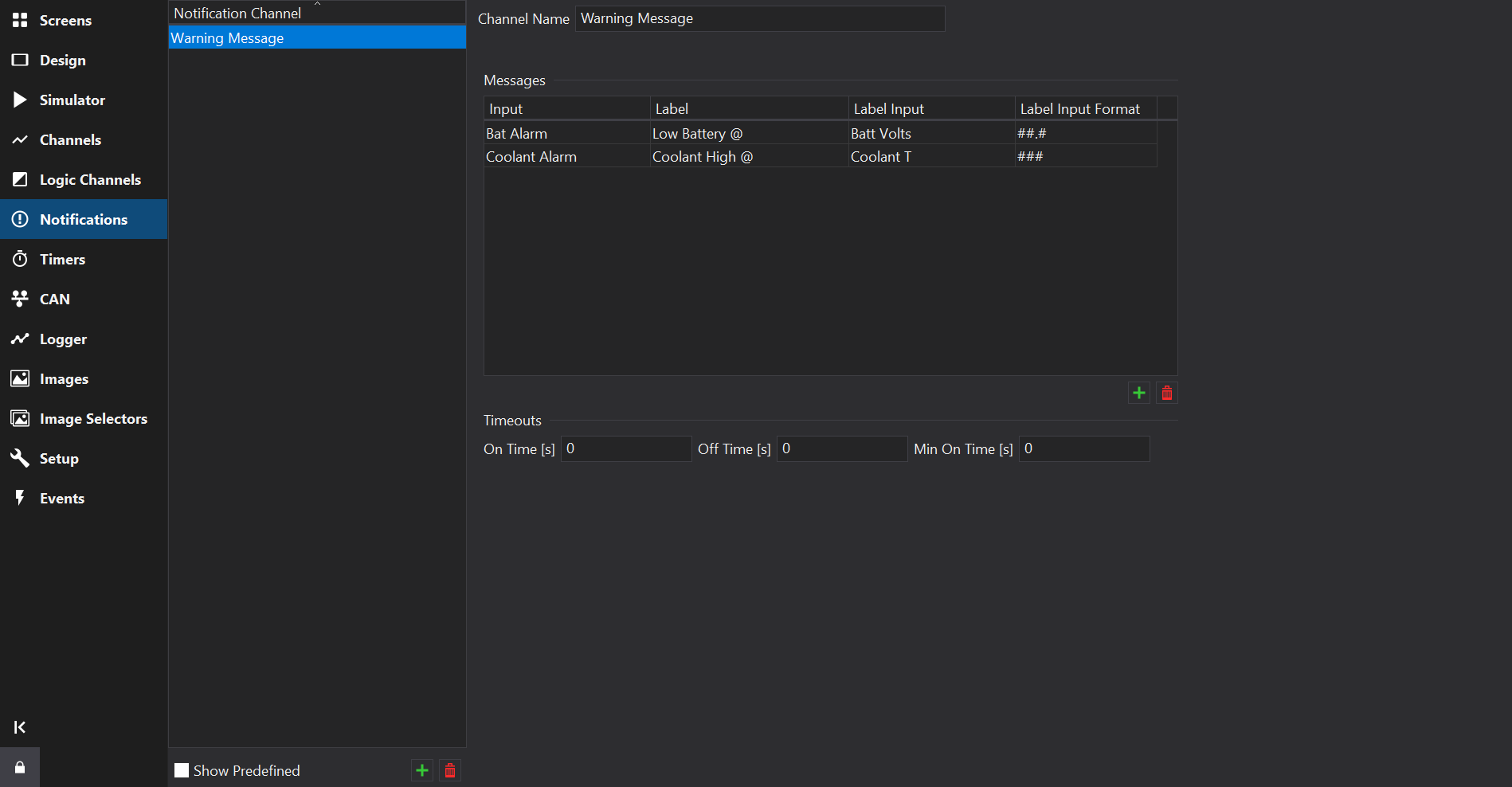
Channel Name
The Notification Channel name can be changed in the Channel Name box.
Messages
The Messages table lists the individual messages that make up this Notification Channel. There must be at least one entry. To add or delete entries, use the Add/Delete buttons.
The table has the following columns:
| Column Name | Description |
|---|---|
| Input | The logic channel used to trigger this message. If its value is non-zero, the associated message will be displayed. Logic channels must be defined on the Logic Channels Tab before they can be used to trigger a notification message. |
| Label | The text to display when the message is active. When an ‘@’ symbol is inserted into the label, a formatted value from the Label Input replaces it in the display. |
| Label Input | The channel whose value replaces the ‘@’ symbol in the label, if required. |
| Label Input Format | The format of the value from the Label Input, if required. For example, # displays whole numbers and #.# shows up to one decimal place. See Value Formatting
for full details. |
If all the inputs are zero, the output text is empty. If only one input is non-zero, the appropriate warning is displayed. If multiple inputs are non-zero, the active messages are displayed in turn, with each one being displayed for around a second.
The On Time [s], Off Time [s] and Min On Time [s] settings in the Timeouts section affect how the message is displayed when only one message is active and are specified in seconds. For example, to have a single message flash at 2Hz, set the On Time to 0.25 and the Off Time to 0.25. Setting the Off Time to 0 disables flashing.
The Min On Time can be used to ensure a warning is visible even if it is only briefly triggered.
For example, a low oil pressure alarm triggered during cornering may only occur for a fraction of a second but by setting the Min On Time to 2.0 ensures that the message is displayed for 2 seconds and so is more likely to be seen.