Programing/Upgrading ECU Firmware
When upgrading GEMS ECUs, there are two types of ECU, the standard and the Simulink enabled ECUs. With the standard ECU all that will need upgrading is the main firmware. The main firmware is upgraded using a .FIN file. With the Simulink enabled ECU the main firmware may occasionally need upgrading and this is done in the same way as the standard ECU, but it is more likely that the Simulink model will need upgrading. The Simulink model is basically upgraded in the same way as the main firmware, except that a .BIN file is used.
For XCP firmware supplied as a .FINX package, select the package. If it contains an embedded ECU definition, the wizard validates and installs that definition when you click Next, before programming. Otherwise, install the matching .A2L or .ECUDEF definition when prompted. The definition must match the identity of the firmware being programmed. A successful installation alone does not establish a match.
If the wizard reports an identity mismatch or continues to ask for a definition, see Identity matching for the matching rules, case-sensitive version labels and troubleshooting.
Including an ECU definition in a FINX package
FINX package authors can include an .A2L, .ECUDEF or .GIN definition
inside the FINX ZIP archive. Add an optional top-level ecu_definition string
to the existing firmware.json, naming the archive entry:
{
    "ecu_definition": "definitions/ECU-01x22.a2l",
    "firmware": [
        {
            "file": "firmware.bin",
            "address": 0
        }
    ]
}
The firmware entry above is only a format example; retain the firmware, loader, addresses and programming settings required by your ECU.
The path must name exactly one file in the archive, including its extension.
Use a relative path, not an absolute path, wildcard or .. path. Archive entry
names are case-sensitive. Unreferenced definition files are not automatically
selected.
The package must also contain a valid identity.json describing the firmware.
The embedded definition is loaded using the normal definition-loading rules
and checked against this identity. A missing, unreadable or incompatible
definition prevents the wizard from proceeding; it is not silently replaced
by an already installed definition.
The bundled definition is installed even when a matching definition is already installed, so the package supplies the definition used for its firmware. Identical already installed contents need not be copied again. The installed copy remains available after the FINX package or extracted temporary file is removed. This also applies to automatic firmware upgrades.
Selecting or inspecting a FINX file alone does not install its definition.
Existing FINX packages without ecu_definition retain the separate-definition
installation workflow.
Upgrading Process
To upgrade and ECU first connect to the ECU. See ECU Connection and Connection Settings for details on connecting to an ECU.
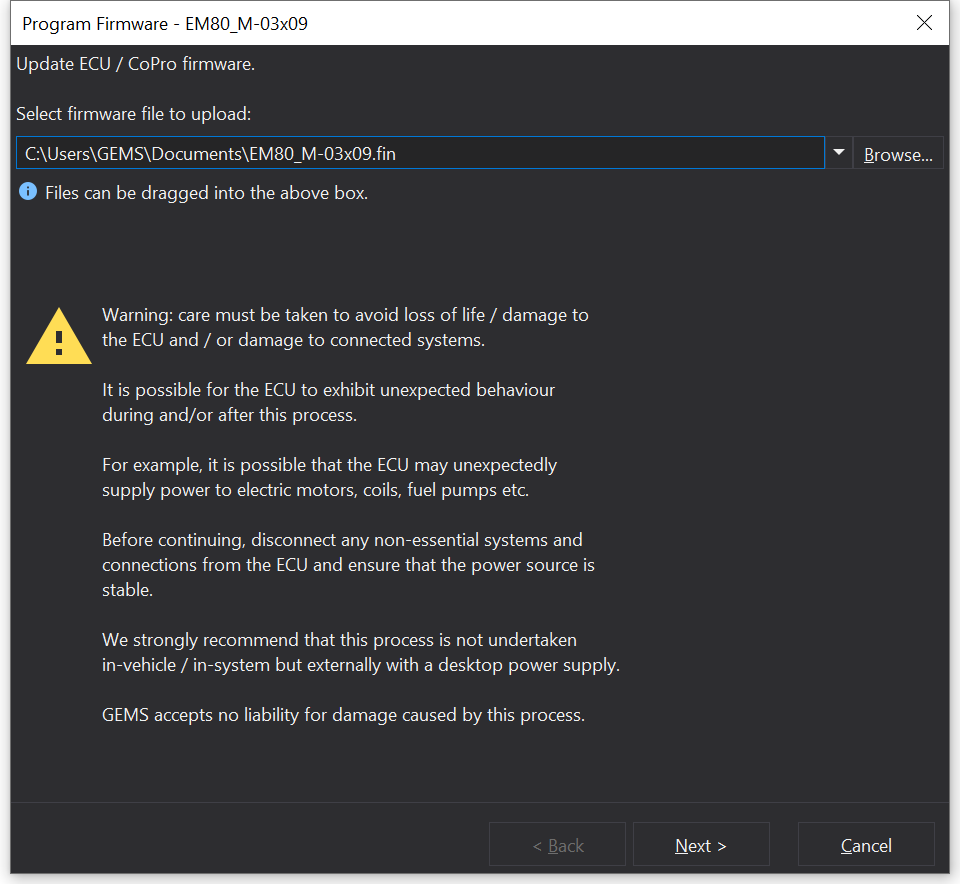
Once connected to the ECU simply select and the following window will be displayed.

From here simply drag and drop the relevant .FIN or .BIN into the window along with the matching .GIN or .ECUDEF and select next.
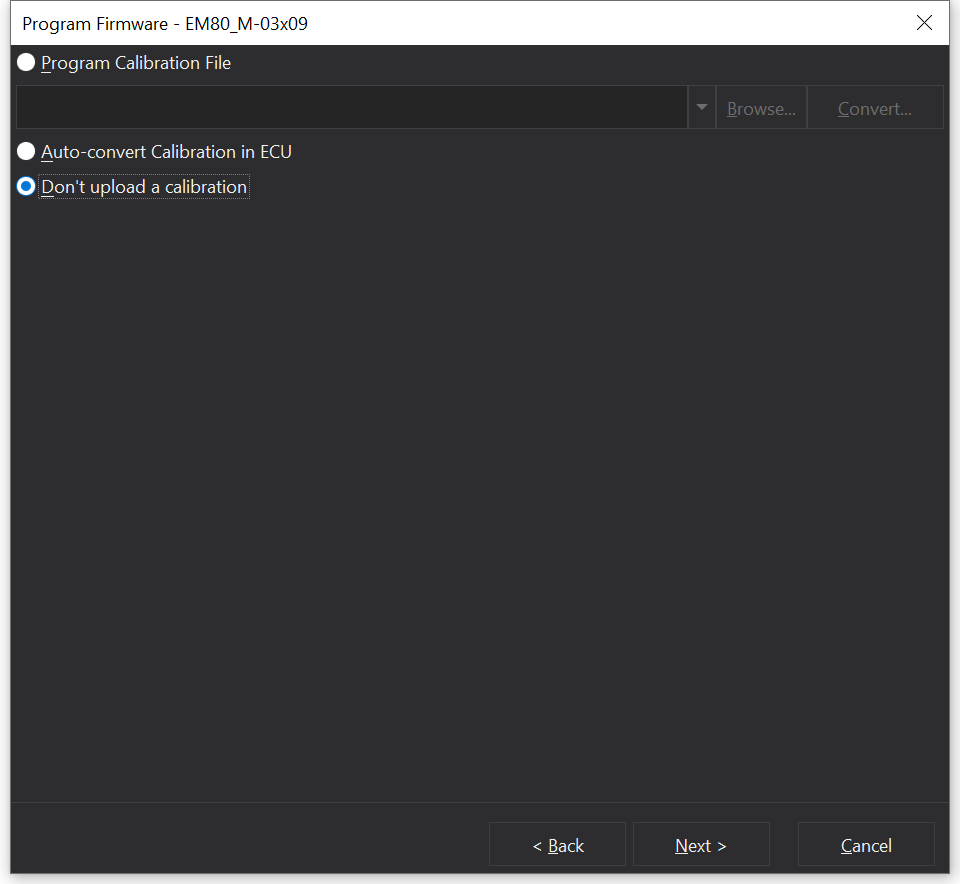
Upon selecting next, you will be asked to upload a calibration. You can either select a previous calibration from your saved files, auto convert the currently loaded calibration to the new firmware, or you can simply not use a calibration. Once you have decided which calibration option you would like, simply select next, and the following window will be displayed:
This is your final chance to select the ECU you are reprogramming. This can be done my changing the port, which will open a connection setup popup.
There are also various checks that GWv4 can perform that make sure that it is safe to reprogram the ECU. Such as making sure the engine has stopped, and verifying the current ECU firmware.
There are also options to pre-clear the calibration, and also to reset values to defaults.
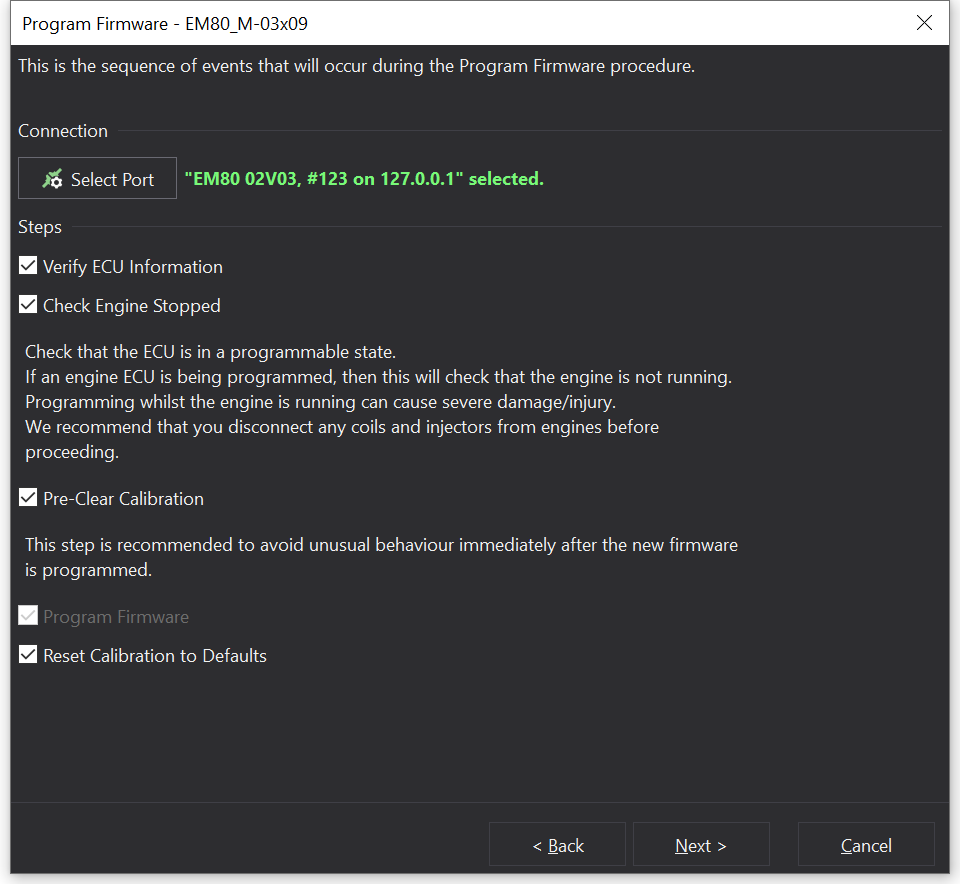
Upon clicking next, the ECU will be reprogrammed.