Preferences
Overview
Some application settings are available via the Alt + F7 command.
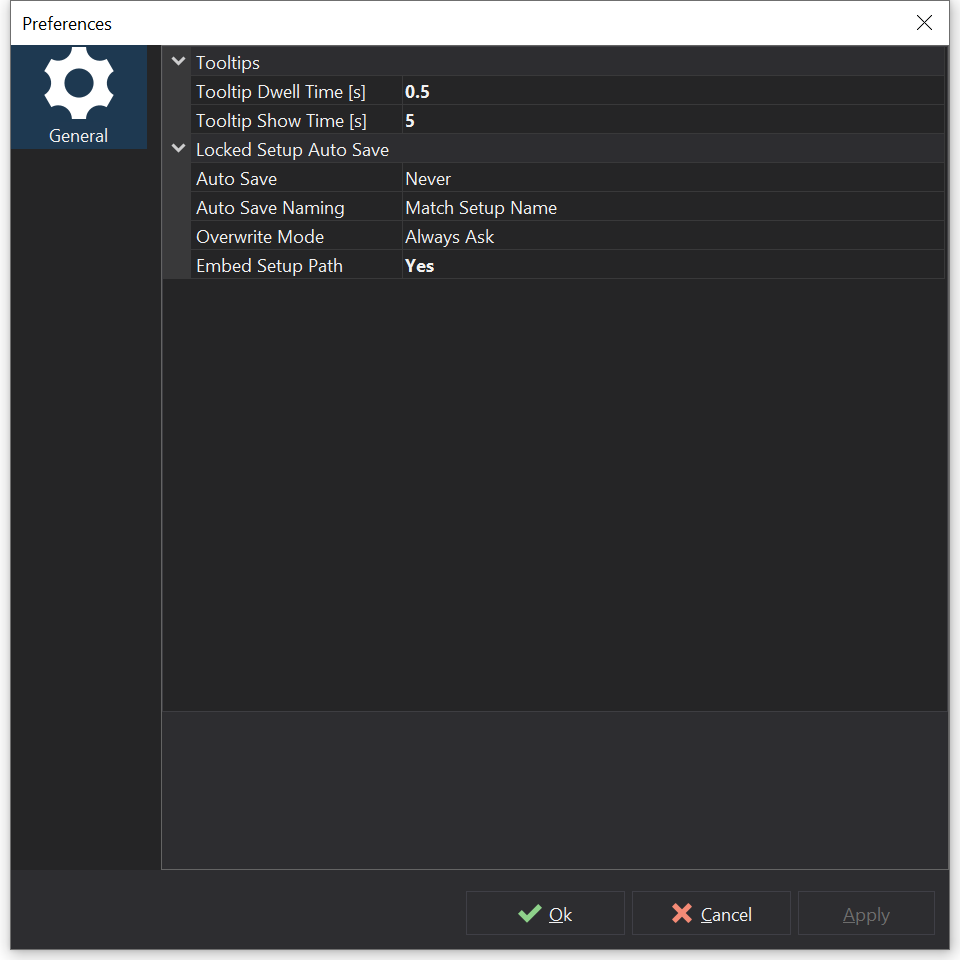
Preferences Dialog
Adjust the relevant preferences using the property grid, descriptions for the properties are shown at the bottom of the dialog.
Preference Categories
| Category | Description |
|---|---|
| Confirmations | Re-enables confirmation prompts that have been turned off, for example Confirm Clear CAN Capture (see CAN Ports & Activity ). |
| Locked Setup Information | Show Additional Hashes shows the additional hashes on the File Info tab of locked setups. See Locked Setups . |
| Tooltips | Tooltip Dwell Time [s] sets how long the mouse must rest over a control before its tooltip is shown; Tooltip Show Time [s] sets how long tooltips are shown for (0 disables tooltips). |
| Locked Setup Auto Save | Automatically saves a locked version of the setup when saving or programming. See Locked Setups . |
Other Settings
The Configure menu also provides the following settings:
- - see Unit Preferences .
- - see Commands .
- - when checked, the last setup is opened when Dash Design starts; otherwise you are asked what to do.
- - choose whether Dash Design may send usage data, such as basic system information, the program configurations you use and any problems you experience, to GEMS. The data is used for statistical purposes and for guiding product development.
- - switches between the light and dark user interface themes.